
CX · Platform Migration
Change your support platform without your customers noticing
Conversation history, customer records, every channel you answer on. We move ANZ mid-market support teams onto the right platform, history intact, channels connected, no one left waiting.
Sound familiar?
Your customers shouldn’t have to know a migration happened.
The per-agent pricing keeps climbing.
Every renewal costs more than the last, and you’re paying enterprise rates for features your team doesn’t touch.
Your channels don’t talk to each other.
Email in one tool, chat in another, socials in a spreadsheet. Customers repeat themselves, and agents copy-paste between tabs.
The old platform is holding your history hostage.
Years of customer conversations locked in a tool you want to leave, and the fear of losing them keeps you paying.
Wherever you’re coming from:
What you walk away with
A migration map, agreed before anything moves.
What’s coming across, what’s being archived, and why. In writing, before you commit.
Customer history that follows the customer.
Conversations, context and contact records intact, so no customer ever hears “can you fill me in from the start?”
Every channel, connected from day one.
Email, chat, phone and socials landing in one queue, so agents answer customers instead of juggling tabs.
Agents ready before cutover, not after.
Your team works the new platform before customers touch it. Day one is business as usual, just faster.
How the migration runs
Map what must move
Conversations, customer records, channels, macros and the workflows underneath them. We separate what your team needs from what’s just accumulated.
Prepare and clean the data
Duplicate contacts, dead tags, stale macros. The clutter stays behind, so the new platform starts clean.
Rebuild routing and workflows
Queues, priorities and automations configured around how customers actually contact you, not copied from the old tool’s habits.
Migrate and validate
Data moves in stages, checked against the source at every step. Nothing is trusted until it’s verified.
Cut over quietly
Channels switch in stages, scheduled around your quiet periods. Customers keep getting answers, and hypercare runs until the numbers say your team is settled.
Not sure you’re ready?
The 32 checks that decide whether this takes weeks or months
Eight stages, platform agnostic, built from real ANZ mid-market rollouts. Score yourself before you commit to a date.
Download the checklist
National Pharmacies replaced inboxes and spreadsheets across 65+ locations
65+
locations supported
6 wks
to a clean, confident launch
0
added headcount to run it
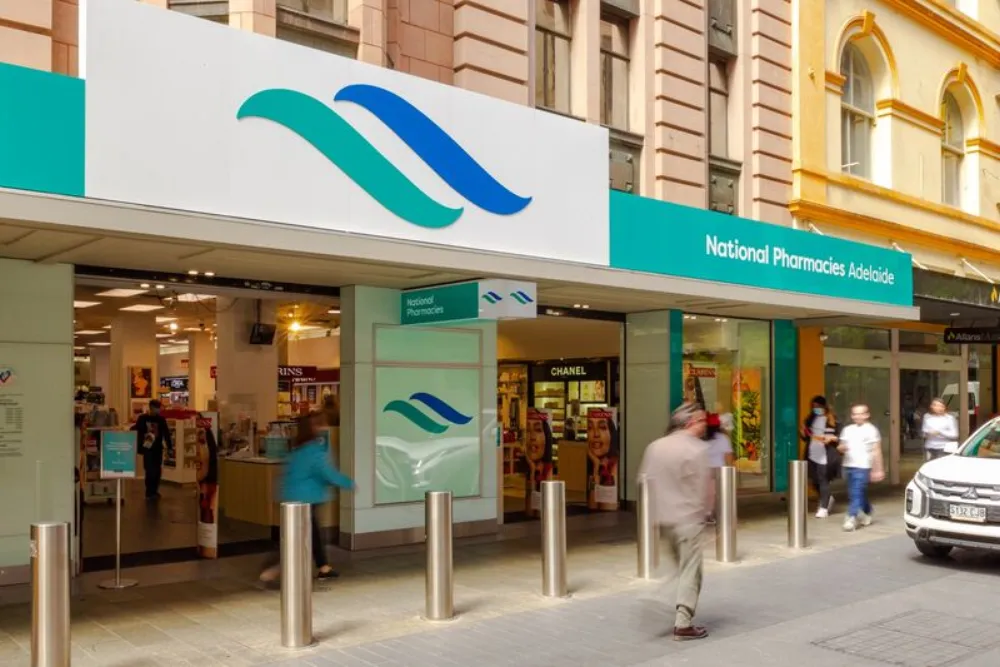
“They gave us a plan, and what they delivered was the plan.”

Nicole McLaren
Head of Support, National Pharmacies
Questions we get asked
Will customers notice the switch?
Only if they notice faster answers. Channels cut over in stages around your quieter periods, with continuity plans designed to keep customers supported throughout. The goal is that the only visible change is the improvement.
Will we lose conversation history?
The migration map agreed upfront defines exactly what moves, and staged validation checks it against the source before cutover. What’s agreed to move, moves, verified.
Can you migrate from Zendesk, Intercom or Salesforce Service Cloud?
Yes. Rising per-agent costs on those platforms are where many of our CX migrations start, and so do shared inboxes that teams have outgrown.
Which platform do you migrate us to?
The one the diagnostic supports. We’re a Freshworks Premium Partner and Freshdesk is often the right mid-market fit, but the destination is a recommendation we put in writing with reasons, not a foregone conclusion. If your shortlist points elsewhere, we’ll tell you.
How long does a migration take?
It depends on data volume and channel complexity, but mid-market migrations typically run in weeks, not months. For context, National Pharmacies went from kickoff to launch in six weeks across 65+ locations. The diagnostic will give you a realistic read for your setup.
Map the move before you commit to it
Thirty minutes with a senior consultant. You’ll leave knowing what the migration actually involves for your setup, whether you work with us or not.
30 minutes. No pitch. No commitment.